What happens after thousands – or even lakhs – of students finish writing an examination?
For universities and examination boards, the challenging part may only be beginning.
Answer booklets have to be collected, tracked, distributed to evaluators, checked accurately, moderated, consolidated and finally converted into publishable results. When these activities depend heavily on physical movement and disconnected manual processes, even a small delay can affect the complete result cycle.
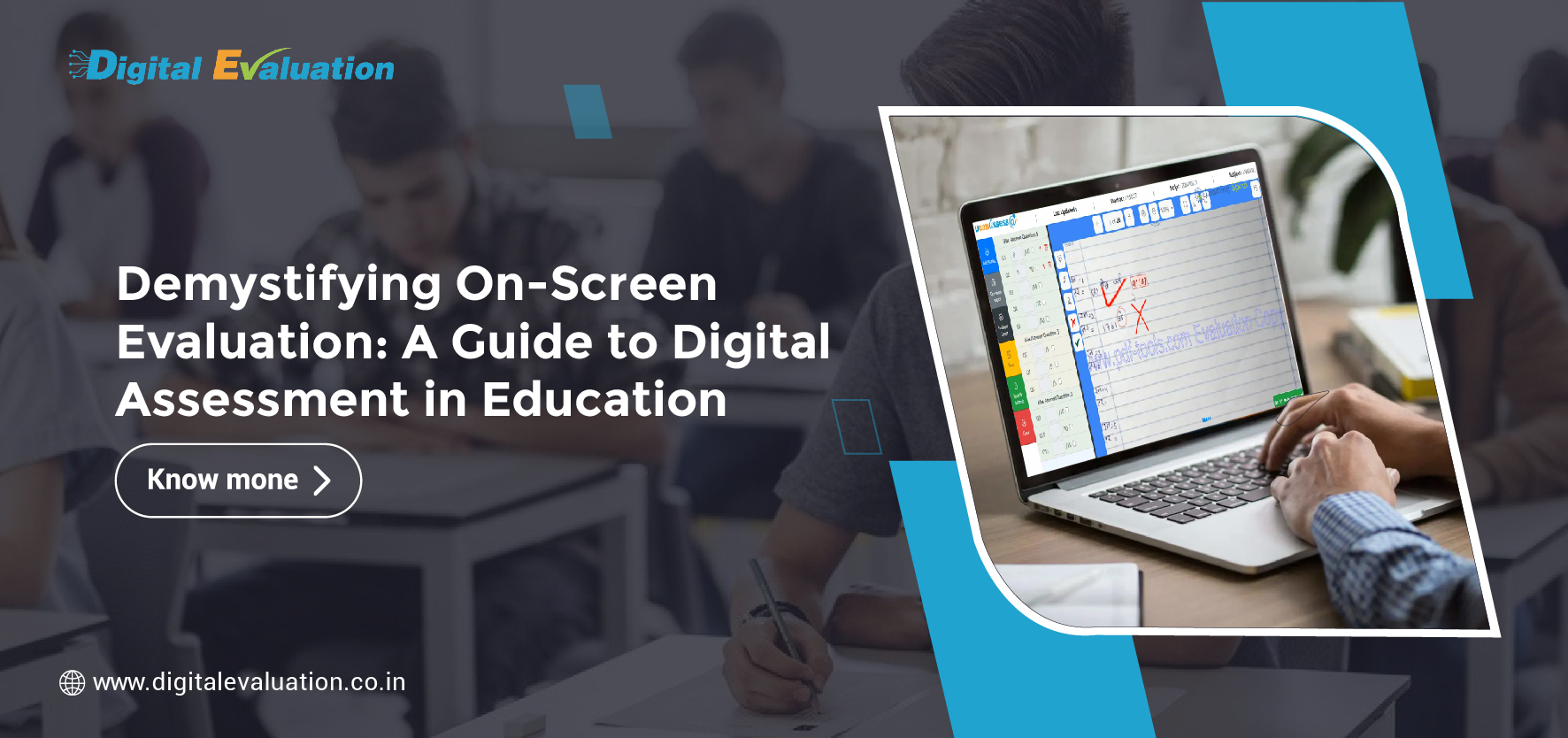
A modern On Screen Evaluation System changes this workflow.
Instead of physically moving answer scripts between examination centres and evaluators, institutions can digitise scripts and make them securely available to authorised evaluators through a structured evaluation platform.
But moving an answer booklet from paper to a computer screen alone does not create an effective evaluation ecosystem.
The real value of modern On Screen Evaluation comes from combining secure script digitisation, controlled evaluator access, automated marking checks, monitoring, moderation and Post Examination Processing into one connected workflow.
So, what should universities actually look for when selecting an On-Screen Evaluation platform?
Here are the features that matter most.
1. Secure and Accurate Answer Booklet Scanning
Everything begins with the quality of the digital answer script.
If pages are missing, blurred, duplicated, incorrectly ordered or mapped to the wrong candidate, even the most advanced Digital Evaluation System will face problems later.
A modern solution should therefore support a controlled Answer booklet scanning process with quality validation before scripts are released for evaluation.
An effective scanning workflow should help institutions:
• Capture clear and readable answer-script images.
• Verify that all expected pages are present.
• Maintain correct page sequencing.
• Map scripts to the appropriate examination and subject.
• Identify scanning exceptions before evaluation begins.
• Maintain traceability throughout the scanning process.
Reliable Scanning of Answer Sheets provides the foundation for accurate On Screen Marking.
When the input itself is verified, evaluators can concentrate on academic assessment rather than dealing with incomplete or incorrectly scanned scripts.
2. Anonymous Evaluation to Protect Candidate Identity
Evaluator independence is an important part of secure assessment.
A modern On Screen Evaluation System should allow candidate information to be masked wherever institutional policies require anonymous evaluation.
Instead of exposing unnecessary student details, evaluators can receive only the information needed to assess the assigned script.
This helps institutions build a more controlled evaluation environment while limiting unnecessary exposure of candidate information.
For large universities, boards and assessment bodies, anonymity can become especially valuable when thousands of scripts are distributed across multiple evaluators.
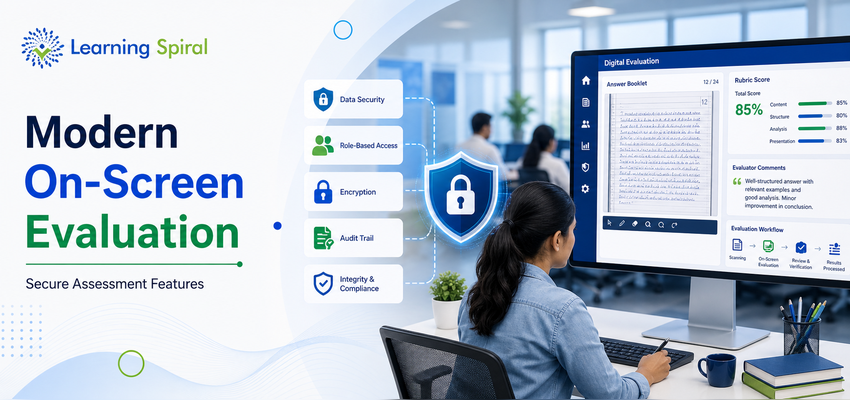
3. Role-Based Access and Strong Authentication
Not everyone involved in an examination needs the same level of access.
An evaluator may need access to allocated answer scripts. A moderator may require review permissions. A Controller of Examinations may need dashboards and administrative controls.
That is why role-based access should be a core component of any secure Digital Evaluation System.
Administrators should be able to define clearly:
• Who can view scripts.
• Who can award marks.
• Who can modify submitted evaluations.
• Who can perform moderation or re-evaluation.
• Who can view reports and progress dashboards.
• Who can approve final evaluation data.
Strong authentication mechanisms add another layer of control.
The objective is simple: every user should receive only the permissions necessary to perform their assigned responsibility.
4. Encryption and Secure Digital Script Management
Answer scripts and marks are highly sensitive examination records.
A modern On-Screen Marking System should therefore treat security as part of the architecture rather than as an optional feature.
Secure storage, controlled access, protected data transmission, regular backups and defined user permissions can help institutions maintain better control over sensitive assessment information.
This becomes particularly important when an institution operates a large University Examination System involving thousands of students, multiple programmes and several evaluation centres.
Security should extend across the entire workflow:
Scanning → Script Storage → Allocation → On Screen Marking → Moderation → Marks Processing → Results
A secure evaluation process is strongest when every stage is controlled—not just the evaluator login page.
5. Evaluator-Friendly On Screen Marking Tools
Security matters, but the evaluator experience matters too.
If a Digital Evaluation platform is difficult to use, evaluators may take longer to complete work and require additional operational support.
A modern On Screen Marking System should therefore offer an intuitive workspace where evaluators can comfortably read and mark answer scripts.
Useful functionality may include:
• Page-by-page script navigation.
• Zoom controls for handwritten answers.
• Question-wise marking.
• Annotations or comments where required.
• Easy movement between questions and pages.
• Clear display of awarded and remaining marks.
• Simple submission and review workflows.
The technology should assist the evaluator rather than become another obstacle.
Good On-Screen Marking combines strong administrative control with a simple evaluator experience.
6. Automated Checks Before an Evaluator Can Submit
Some of the most frustrating examination errors are surprisingly simple.
A question may accidentally remain unmarked.
A page may be overlooked.
Marks may exceed the maximum allowed.
Totals may be calculated incorrectly.
A well-designed On Screen Evaluation System can introduce validation rules before an evaluation is submitted.
Depending on institutional requirements, these checks can flag situations such as:
• An unmarked question.
• Missing evaluation activity on required pages.
• Marks exceeding the permitted maximum.
• Incomplete evaluation.
• Invalid marking combinations.
These controls can reduce avoidable manual checking during later Examination Processing.
The objective is not to automate academic judgement.
It is to prevent administrative mistakes from interfering with academic judgement.
7. Intelligent Evaluator Allocation and Workload Management
Distributing physical answer booklets among evaluators can require considerable coordination.
Digital workflows can make allocation much more structured.
An On Screen Evaluation System should allow administrators to assign scripts according to rules such as subject, evaluator eligibility, workload, evaluation centre or institutional requirements.
The system should also provide visibility into:
• Number of scripts allocated.
• Number completed.
• Number pending.
• Evaluator progress.
• Reallocation requirements.
• Evaluation deadlines.
This creates a more manageable process when multiple evaluators are working simultaneously.
For institutions conducting examinations across several subjects and programmes, efficient allocation can become one of the biggest operational advantages of On-Screen Evaluation.
8. Real-Time Evaluation Progress Monitoring
Waiting until the end of evaluation to discover that a subject is behind schedule can create serious result delays.
Modern Digital Evaluation should provide administrators with ongoing visibility into the status of evaluation.
Dashboards can help authorised teams monitor:
• Total scripts available for evaluation.
• Scripts allocated to evaluators.
• Completed scripts.
• Pending scripts.
• Evaluator-wise progress.
• Subject-wise progress.
• Exceptions requiring intervention.
Instead of repeatedly calling evaluation centres for status updates, examination administrators can work from a central view of the process.
That visibility makes it easier to identify delays earlier and take corrective action before they affect Post Examination Processing.
9. Complete Audit Trail, Moderation and Re-Evaluation Support
A secure examination process should answer an important question:
Who performed which action, and when?
Auditability is one of the strongest advantages of structured digital workflows.
A modern system should maintain records of relevant evaluation activities so authorised administrators can review the movement of a script through the evaluation process.
This becomes particularly useful during:
• Moderation.
• Double evaluation.
• Re-evaluation.
• Academic review.
• Exception management.
• Grievance handling.
Moderators should also be able to review selected scripts based on institutional rules without requiring physical retrieval of answer booklets.
That creates a more traceable process from evaluator allocation to final approval.
10. Integration with the Complete Examination Ecosystem
On-Screen Evaluation should not operate as an isolated application.
Universities already manage multiple processes before and after evaluation.
Before the examination, workflows may involve student records, subjects, paper preparation and Question Bank Management.
Other assessments may be conducted using an Online Examination System rather than handwritten scripts.
The broader workflow may therefore look like this:
Pre Examination Processing → Question Bank Management → Examination → Answer Booklet Scanning → On Screen Evaluation → Digital Evaluation → Post Examination Processing → Results
Institutions may also combine handwritten examinations with Online Assessment depending on programme and assessment requirements.
This is why integration matters.
When student, subject, examination, evaluator and marks data can move through connected processes, institutions can reduce repetitive manual data movement and create a more structured University Examination System.
11. Seamless Post Examination Processing and Result Readiness
Evaluation is not complete when the evaluator clicks “Submit.”
The marks still have to move through moderation, approval, consolidation and result-processing workflows.
A strong Digital Evaluation System should therefore support smooth movement from completed evaluation to Post Examination Processing.
This can include structured workflows for:
• Marks approval.
• Moderation.
• Consolidation.
• Re-evaluation.
• Exception handling.
• Result processing.
• Reporting and data export.
The bigger objective of Digital Evaluation is not simply to replace a red pen with a digital marking interface.
It is to create a connected, traceable and manageable assessment process from the scanned answer booklet to the final result.
Security Should Exist at Every Stage of Digital Evaluation
When institutions evaluate an On Screen Evaluation System, security should not be assessed as one feature on a checklist.
It should be examined across the complete evaluation lifecycle.
A strong workflow considers security during:
1. Scanning:
Scripts must be correctly captured, verified and mapped.
2. Storage:
Digital answer scripts should remain protected and accessible only through authorised workflows.
3. Allocation:
Scripts should reach only eligible evaluators.
4. Evaluation:
Evaluator access and actions should follow defined permissions.
5. Moderation:
Review workflows should remain controlled and traceable.
6. Marks Processing:
Submitted scores should move through authorised approval processes.
7. Result Processing:
Final evaluation data should integrate securely with the institution’s examination workflow.
This end-to-end approach is what separates a basic online marking application from a comprehensive On Screen Evaluation System.
On Screen Evaluation vs Traditional Paper Evaluation
Traditional evaluation depends heavily on the physical movement of answer scripts.
Scripts may need to be bundled, transported, distributed, checked, collected and transferred again for further processing.
On-Screen Evaluation changes the operating model.
Once answer booklets have been digitised and quality-checked, authorised evaluators can receive scripts through the Digital Evaluation platform.
The difference is therefore bigger than paper versus screen.
It is a shift from:
Physical Movement → Digital Allocation
Manual Tracking → Central Monitoring
Physical Script Retrieval → Digital Review
Disconnected Evaluation → Integrated Examination Processing
Manual Progress Follow-Up → Real-Time Visibility
For universities handling examinations at scale, this can create a significantly more manageable evaluation environment.
How Does an On Screen Evaluation System Fit into a University Examination System?
Modern examination transformation should not end with Digital Evaluation.
An integrated examination ecosystem can connect:
Pre Examination Processing → Question Bank Management → Examination Delivery → Scanning of Answer Sheets → On Screen Marking → Digital Evaluation → Post Examination Processing → Result Publication
A University Management System may connect these examination workflows further with academic and student information processes.
This approach allows institutions to view examinations as one connected lifecycle instead of a collection of separate software applications.
What Should Universities Ask Before Selecting an On-Screen Evaluation System?
Before implementing a system, decision-makers should ask practical questions.
1. Can the system handle our expected answer-script volume?
2. How does it verify scanned answer booklets before evaluation?
3. Can student identity be masked from evaluators?
4. Does the system support role-based permissions?
5. What happens if evaluation is interrupted?
6. Can administrators track evaluator progress in real time?
7. Does it prevent incomplete or invalid mark submission?
8. Can scripts be moderated or re-evaluated digitally?
9. Is a complete audit trail maintained?
10. Can the solution connect with our existing University Examination System?
11. How does completed evaluation move into Post Examination Processing?
Selecting an evaluation platform based only on the marking interface can overlook many of the controls required for large-scale assessments.
Institutions should evaluate the complete workflow.
Final Takeaway: The Best On-Screen Evaluation Systems Go Beyond Digital Marking
A modern On Screen Evaluation System should do much more than allow evaluators to view scanned answer scripts.
It should help institutions control the entire evaluation journey.
The most effective systems bring together secure scanning, evaluator authentication, script allocation, On Screen Marking, validation controls, progress monitoring, moderation, audit trails and Post Examination Processing.
For universities and examination bodies handling large assessment volumes, this connected approach can turn evaluation from a difficult physical coordination exercise into a structured digital workflow.
When choosing a Digital Evaluation System, therefore, do not ask only:
“Can our evaluators mark answer sheets online?”
Ask:
“Can this system securely manage everything that happens between the scanned answer booklet and the final result?”
That is the question that defines a truly modern On-Screen Evaluation System.
What is an On Screen Evaluation System?
An On Screen Evaluation System allows authorised evaluators to assess digitised answer scripts through a secure digital platform instead of manually handling physical answer booklets.
How does Answer booklet scanning support Digital Evaluation?
Answer booklet scanning converts physical answer scripts into digital images. These scripts can then be quality-checked, mapped and securely distributed to evaluators through an On Screen Marking System.
Is On-Screen Evaluation suitable for handwritten examinations?
Yes. Students can continue writing examinations on physical answer booklets. The completed scripts are scanned and made available digitally for evaluation.
What is the difference between On Screen Marking and Digital Evaluation?
On Screen Marking generally refers to the evaluator marking digitised answer scripts on a screen. Digital Evaluation can include the wider workflow of script scanning, allocation, marking, monitoring, moderation, auditing and marks processing.
Can Digital Evaluation integrate with a University Examination System?
Yes. An integrated University Examination System can connect Pre Examination Processing, Question Bank Management, Answer Booklet Scanning, Digital Evaluation and Post Examination Processing to create a more connected examination lifecycle.
Why is an audit trail important in On-Screen Marking?
An audit trail helps authorised administrators trace relevant evaluation activities, supporting review, moderation, re-evaluation, exception handling and institutional accountability.