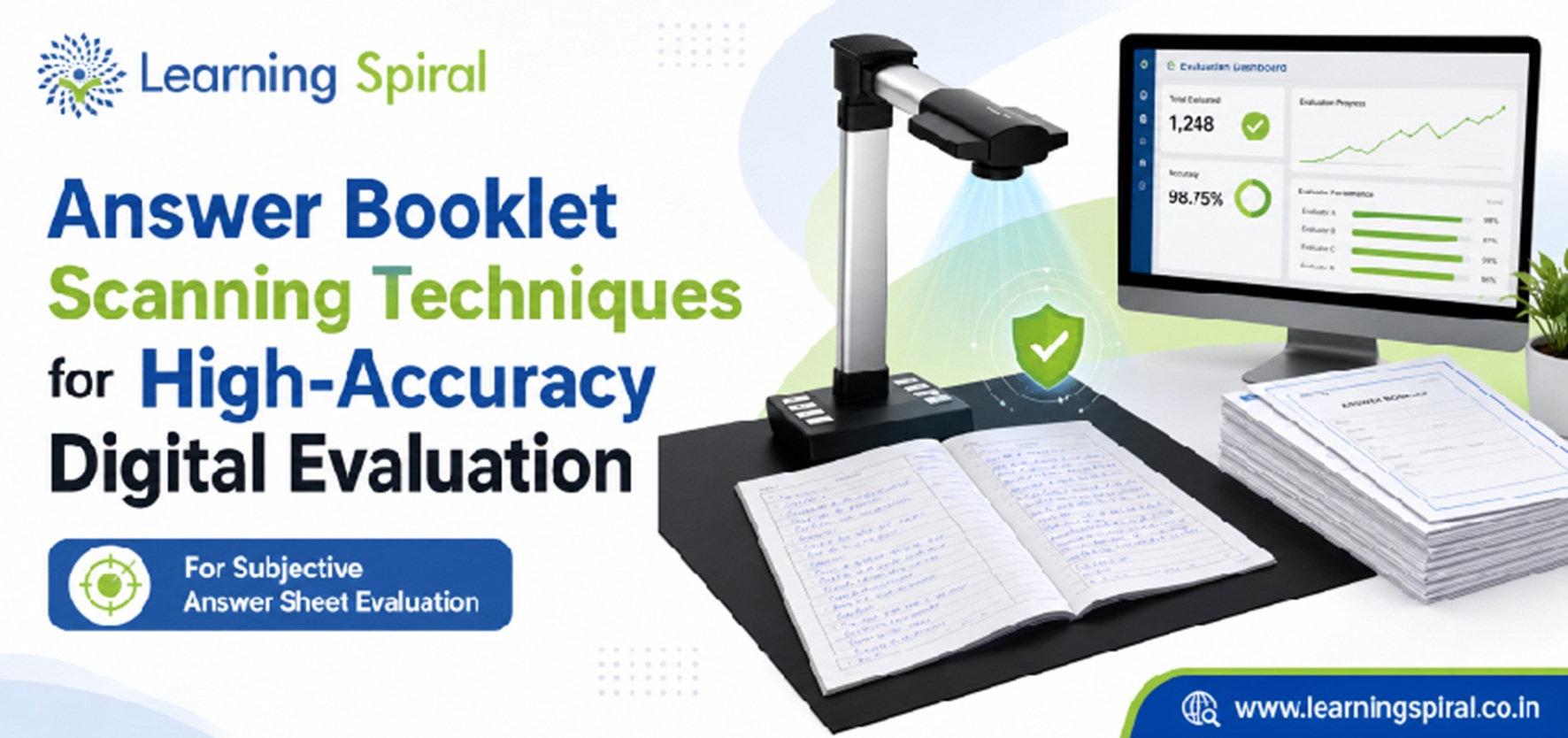
A university can have an advanced Digital Evaluation System, highly trained evaluators and a sophisticated On Screen Marking interface.
But if a student’s answer booklet enters the system with a missing page, blurred handwriting, incorrect sequence or wrong identity mapping, everything that follows becomes harder.
That is why Answer booklet scanning should never be treated as a simple document-scanning activity.
In a university examination environment, scanning is the point at which a physical academic record becomes a digital record used for evaluation, moderation and eventually result processing.
The standard should therefore not be:
“Was the booklet scanned?”
It should be:
“Was every page captured accurately, mapped correctly, verified properly and made evaluation-ready?”
That difference is what separates ordinary document digitisation from high-accuracy examination scanning.
Why Answer Booklet Scanning Accuracy Matters So Much
In manual evaluation, an evaluator physically holds the original answer booklet.
In Digital Evaluation, the evaluator depends on its digital representation.
That means every handwritten response, diagram, calculation, graph, margin note and supplementary page must remain visible and correctly associated with the script.
Learning Spiral’s current scanning guidance highlights missing pages, incorrect sequencing, cropped content, unreadable images and incorrect script association among the issues that need quality control before evaluation.
A good scanning process therefore protects three things simultaneously:
1. Completeness — every expected page is available.
2. Readability — evaluators can clearly read what the student actually wrote.
3. Traceability — every digital script remains connected to the correct examination record.
These principles should guide the complete Scanning of Answer Sheets workflow.
1. Prepare Answer Booklets Before They Reach the Scanner
Scanning quality begins before the scanner starts.
Answer booklets arriving from examination centres may contain folds, damaged corners, loose supplementary sheets, staples, tags, covers or other physical conditions that affect image capture.
A controlled preparation stage should therefore confirm:
• The packet and booklet counts match expected records.
• Supplementary sheets remain associated with the correct script.
• Pages are ready to move safely through the approved scanning process.
• Damaged or irregular scripts are identified before mass scanning begins.
• Any physical identifiers required by the workflow remain readable.
This preparation stage is easy to underestimate.
But discovering a missing supplementary sheet before scanning is far easier than investigating it after thousands of scripts have already entered the evaluation workflow.
2. Choose the Right Scanning Method for the Booklet Format
There is no single scanning technique suitable for every answer booklet.
The correct method depends on paper size, binding, booklet thickness, print quality, handwriting characteristics and institutional rules regarding the handling of original scripts.
Some environments may use high-speed sheet-fed scanning.
Others may require non-destructive or booklet-friendly scanning workflows.
The important decision is not simply which scanner is fastest.
It is which method can reliably capture the complete answer script while preserving the integrity of the original document.
For universities handling high-stakes assessments, physical preservation and digital accuracy must be considered together.
3. Establish the Correct Resolution Through Real-Script Testing
Higher resolution does not automatically mean better examination scanning.
Very high-resolution images consume more storage, increase network-transfer requirements and may slow downstream processing.
Very low resolution, on the other hand, can make faint handwriting, pencil work, mathematical symbols or diagrams difficult to evaluate.
Learning Spiral’s current answer-sheet scanning guidance notes that 200–300 DPI is commonly evaluated, while also recommending that the final setting be tested using actual handwriting, ink, pencil responses, diagrams, paper quality and compression requirements.
The correct approach is therefore:
1. Select representative real scripts.
2. Scan them at candidate resolutions.
3. Review them on the actual evaluation interface.
4. Check handwriting, diagrams and faint responses.
5. Compare readability against file size and processing performance.
6. Approve the configuration only after evaluator-level testing.
This prevents an important mistake: optimising scanning for the scanner instead of optimising it for the evaluator.
4. Use Duplex Capture for Two-Sided Answer Booklets
If students can write on both sides of a page, the scanning process must reliably capture both sides.
Duplex scanning can process the front and back of a sheet within the same scanning cycle.
That reduces manual handling and lowers the chance that reverse-side responses are overlooked.
However, duplex capture should be combined with quality control.
Blank-page handling needs particular care.
An apparently blank page may contain:
• Very faint pencil work
• A small continuation answer
• Rough calculations
• Examiner-relevant annotations
• Content close to the edge
Automated blank-page removal should therefore never be configured so aggressively that genuine student content disappears.
5. Use Barcode or QR-Based Identification for Reliable Script Mapping
One of the biggest risks in large-scale scanning is not poor image quality.
It is correctly scanned pages being associated with the wrong script.
Barcode or QR-based workflows can significantly reduce this dependency on manual identification.
A unique machine-readable identifier can connect the booklet to relevant examination metadata during digitisation.
This allows the scanning system to help identify:
• Examination
• Subject or paper
• Script or booklet ID
• Batch
• Session
• Other institution-defined metadata
Where institutional policy requires anonymous evaluation, the evaluator-facing identifier can be separated from personally identifiable candidate information.
The goal is reliable mapping without exposing unnecessary identity information during evaluation.
6. Control Page Sequence Automatically
A six-page script scanned as:
Page 1 → Page 2 → Page 4 → Page 3 → Page 5 → Page 6
may technically be complete, but it is not evaluation-ready.
Page sequencing matters because evaluators need to follow the student’s response in the correct order.
The scanning workflow should therefore verify:
• Expected page count
• Correct page sequence
• Supplementary-sheet association
• Duplicate-page detection
• Unexpected gaps
For structured answer-booklet designs, page-level identifiers can make sequencing significantly easier to validate.
This is particularly useful when thousands of booklets are being processed within a limited result timeline.
7. Detect Missing and Duplicate Pages Before Evaluation
A missing page should not be discovered by an evaluator halfway through marking.
By that stage, the problem has already moved downstream.
A high-accuracy workflow should identify exceptions before scripts enter On Screen Evaluation.
Automated or assisted checks can compare the expected booklet structure against captured pages.
Exceptions may include:
1. Missing page
A required page does not appear in the digital script.
2. Duplicate page
The same page has been captured twice.
3. Unexpected page
An unrelated page appears inside the script.
4. Incorrect sequence
Pages exist but are arranged incorrectly.
5. Supplementary-page mismatch
Additional sheets have not been associated correctly.
These scripts should move into an exception queue rather than directly to evaluators.
That keeps scanning errors from becoming evaluation errors.
8. Apply Image Enhancement Without Altering Student Content
Scanned answer-booklet images may suffer from:
• Skew
• Shadows
• Uneven background
• Low contrast
• Slight rotation
• Scanner noise
• Dark edges
Image processing can make these pages easier to review.
But examination imaging has one critical restriction:
Enhancement must improve visibility without changing the academic evidence contained in the original script.
The system may correct orientation or improve presentation, but it should not remove faint content that might be meaningful to the evaluator.
This distinction matters greatly in Digital Evaluation.
The goal is not to make the page aesthetically cleaner.
The goal is to faithfully present what the student submitted.
9. Check Cropping and Page-Boundary Accuracy
Students rarely write only within perfectly defined areas.
Some may write close to the page edge, draw arrows into margins or continue calculations in unusual spaces.
Improper cropping can therefore remove genuine answer content.
Quality control should confirm that:
• All required page edges are captured.
• Handwriting near margins remains visible.
• Page numbers or identifiers are not unintentionally cropped.
• Diagrams remain complete.
• No part of an answer disappears because of automatic boundary detection.
A scan that looks neat but removes the final line of a student’s answer is not an accurate scan.
For examination workflows, completeness must take priority over cosmetic appearance.
10. Build a Human Quality-Control Check Into the Workflow
Automation is valuable, but high-stakes scanning should not depend exclusively on automated rules.
A controlled quality-assurance stage can review flagged or sampled scripts before they reach evaluators.
Quality-control operators may verify:
1. Readability
Can handwriting and diagrams be clearly understood?
2. Completeness
Are all expected pages available?
3. Orientation
Is every page correctly displayed?
4. Mapping
Is the script connected to the correct examination metadata?
5. Sequence
Are pages arranged properly?
6. Supplementary sheets
Have extra sheets been attached to the correct script?
This is especially important during the initial deployment of a new scanning workflow.
Real examination scripts often expose edge cases that test documents do not.
11. Encrypt and Transfer Digital Scripts Securely
After scanning and quality control, answer scripts become digital academic records.
They therefore require controlled handling.
A secure Digital Evaluation System should provide appropriate mechanisms for authorised storage, transmission and retrieval.
The broader workflow should consider:
• Authentication
• Role-based access
• Secure transmission
• Controlled script retrieval
• Audit logs
• Backup and recovery
• Retention policies
Digital transformation should not reduce the security standards traditionally applied to physical examination materials.
It should make access more controlled and traceable.
12. Validate the Script Inside the Actual On Screen Marking Workflow
A technically successful scan is not necessarily an evaluator-friendly scan.
The final quality test should therefore happen from the evaluator’s perspective.
Open representative digital scripts inside the actual On Screen Marking System.
Check whether the evaluator can comfortably:
• Zoom into small handwriting
• View mathematical calculations
• Read faint ink or pencil
• Navigate pages quickly
• Follow multi-page answers
• View diagrams completely
• Move between questions without losing context
This is where scanner configuration, image quality, compression and interface performance all meet.
A strong scanning process does not end when a file is created.
It ends when that file is genuinely ready for academic evaluation.
How Answer Booklet Scanning Connects With On Screen Evaluation
Scanning should never operate as an isolated back-office task.
After a booklet passes quality control, it should enter an authorised evaluation workflow.
In a connected On Screen Evaluation System, the process can follow this sequence:
Physical Answer Script
↓
Answer Booklet Scanning
↓
Page & Image Quality Checks
↓
Script Identification
↓
Secure Digital Storage
↓
Evaluator Allocation
↓
On-Screen Evaluation
↓
On Screen Marking
↓
Moderation & Approval
↓
Post Examination Processing
The quality of every downstream stage depends on the integrity of the scanned script.
How On Screen Marking Benefits From Better Scanning
An evaluator cannot assess what they cannot read.
That simple fact makes scanning quality one of the foundations of On-Screen Marking.
An On Screen Marking System may provide annotations, marks entry, question navigation, model answers and validation controls.
But these features only work effectively when the source image is complete and clear.
Better scanning helps evaluators spend less time dealing with operational exceptions such as:
“This page is missing.”
“The handwriting is blurred.”
“The diagram has been cropped.”
“The supplementary sheet is not here.”
Instead, evaluator attention stays where it belongs—on academic assessment.
Answer Booklet Scanning vs Ordinary Document Scanning
At first glance, both processes appear similar.
Paper goes into a scanner and a digital image comes out.
But university answer-script scanning has much higher process requirements.
Ordinary document scanning may primarily focus on digitisation and retrieval.
Examination scanning must also protect:
• Candidate-script mapping
• Page completeness
• Sequence integrity
• Evaluation anonymity where required
• Examination confidentiality
• Auditability
• Marks workflow continuity
• Post-exam traceability
That makes Answer Booklet Scanning part of Examination Processing, not merely document management.
How Scanning Fits Into a University Examination System
A mature University Examination System connects the activities before and after scanning.
Before the examination, institutions may manage:
Pre Examination Processing → Question Bank Management → Examination Delivery
After the examination, the workflow moves toward:
Scanning of Answer Sheets → Digital Evaluation → Post Examination Processing → Results
The benefit of integration is continuity.
Student, subject and examination information already available in the University Examination System can help configure the scanning and evaluation workflow.
Approved marks can later move into result processing without repeated manual entry.
Learning Spiral’s newer examination content similarly presents question preparation, examinations, evaluation and result publication as one connected lifecycle rather than unrelated processes.
What Role Does Question Bank Management Play?
Scanning begins after the student writes the examination, but accurate evaluation starts much earlier.
A structured Question Bank Management environment supports organised question creation, classification, review and approval.
When examination structures and questions are digitally defined, downstream evaluation can also become more structured.
For example, question-wise marking workflows can align evaluator activity with the configured examination paper.
This does not mean scanning depends entirely on a question bank.
It means a connected ecosystem creates more context for everything that follows.
Paper Exams and Online Assessment Can Coexist
Digital transformation does not require universities to conduct every assessment in the same way.
Some examinations may remain handwritten.
Others may be delivered through an Online Examination System.
A university may therefore operate two different input paths:
Paper Examination → Answer Booklet Scanning → Digital Evaluation
and
Online Assessment → Digital Response Capture → Digital Evaluation
Both can ultimately feed into a broader examination ecosystem.
This hybrid capability is especially important for universities managing multiple programmes with different assessment requirements.
The Importance of University Data Integration
Scanning and evaluation also need reliable institutional information.
Course, subject, examination and candidate records may originate from a broader University Management System.
The objective should not be to re-enter the same information manually at every stage.
Instead, authorised systems should exchange the data required for the process.
This reduces repetitive administration and helps create a more connected examination lifecycle.
Common Answer Booklet Scanning Mistakes Universities Should Avoid
Even good technology can perform poorly when the workflow around it is weak.
Several problems deserve special attention.
1. Choosing scanner speed over image quality
The fastest configuration is not automatically the best configuration.
2. Testing only clean sample sheets
Actual examination scripts contain varied handwriting, corrections, diagrams, faint ink and physical irregularities.
3. Ignoring supplementary sheets
Additional sheets require the same mapping and quality standards as the main booklet.
4. Allowing automatic blank-page removal without sufficient validation
Faint responses can be misclassified.
5. Discovering errors during evaluation
Missing pages and mapping problems should be resolved before evaluator allocation.
6. Keeping scanning and evaluation teams disconnected
Feedback from evaluators should help improve scanning configuration.
7. Treating the scanner’s advertised throughput as real examination throughput
Actual output also depends on preparation, feeding, QC, exceptions, indexing and operational handling.
What Should Universities Measure?
Accuracy cannot be managed without visibility.
Useful scanning indicators can include:
• Percentage of scripts passing QC on the first attempt
• Number of scripts requiring rescanning
• Missing-page exceptions
• Duplicate-page exceptions
• Mapping exceptions
• Image-readability complaints from evaluators
• Average validated pages processed per hour
• Time between script receipt and evaluator availability
• Percentage of supplementary sheets correctly associated
These measurements help institutions find bottlenecks before result timelines are affected.
From Scanning to Post Examination Processing
The real benefit of accurate scanning becomes visible downstream.
Clean, correctly indexed digital scripts can move more efficiently into On Screen Evaluation.
Structured digital marks can then move toward moderation, verification and Post Examination Processing.
That means the scanning stage influences much more than image quality.
It can influence:
• Evaluation turnaround
• Exception handling
• Marks processing
• Revaluation workflows
• Result timelines
• Auditability
High-accuracy scanning therefore supports the complete examination lifecycle.
How Learning Spiral Ltd. Supports Answer Booklet Scanning and Digital Evaluation
Learning Spiral Ltd. supports universities, examination boards and higher-education institutions with technology-led examination workflows spanning Answer booklet scanning, Scanning of Answer Sheets, On Screen Evaluation, On-Screen Evaluation, On Screen Marking, On-Screen Marking, Digital Evaluation, Post Examination Processing, Question Bank Management, Online Examination System and Online Assessment.
Learning Spiral’s current scanning and digital evaluation material describes workflows covering script receipt, high-speed scanning, barcode-based identification, quality checks, allocation, evaluation and result-related processing.
Its existing university implementations also include documented examples involving app-based script scanning, on-screen evaluation and post-exam score generation.
The objective is not merely to scan paper faster.
It is to create evaluation-ready digital scripts that can move securely through a connected Digital Evaluation workflow.
Frequently Asked Questions
What is Answer Booklet Scanning?
Answer Booklet Scanning is the controlled process of converting physical examination answer scripts into digital images that can be indexed, quality-checked, securely stored and made available for Digital Evaluation.
What resolution should be used for answer booklet scanning?
There is no universal setting suitable for every examination. Learning Spiral’s current guidance notes that 200–300 DPI is commonly evaluated, but final settings should be tested with real handwriting, pencil work, diagrams, paper quality and compression requirements.
Why is quality control required after scanning?
Quality control helps identify missing pages, duplicates, incorrect sequence, cropping, unreadable content and mapping errors before scripts reach evaluators.
What is the difference between Answer Booklet Scanning and On Screen Evaluation?
Answer Booklet Scanning converts physical scripts into digital copies. On Screen Evaluation is the subsequent process in which authorised evaluators review and assess those digital scripts.
Can supplementary answer sheets be included?
Yes. They need to be identified, associated with the correct booklet and validated as part of the scanning workflow before evaluation.
Does Digital Evaluation require online examinations?
No. Students can continue writing paper-based examinations. Their scripts can later be scanned and evaluated electronically.
Can scanned answer booklets integrate with an On Screen Marking System?
Yes. Once scripts are scanned, indexed and quality-checked, they can be securely allocated to evaluators through an On Screen Marking System.
Final Takeaway: Scan for Evaluation, Not Just Digitisation
Answer booklet scanning may be the first technical stage after a handwritten examination, but it influences almost every stage that follows.
A missing page affects evaluation.
A blurred answer affects readability.
Incorrect mapping affects script integrity.
Poor sequencing affects evaluator efficiency.
And unresolved scanning errors can ultimately affect result processing.
That is why universities should move beyond the idea of simply creating digital copies.
The real goal is to create complete, readable, correctly mapped, secure and evaluation-ready digital scripts.
When those standards are built into scanning from the start, Digital Evaluation becomes faster, easier to audit and far more dependable.