
What This Article Covers
- What is digital evaluation and how is it different from manual evaluation
- The complete step-by-step process: from answer booklet scanning to result declaration
- A comparison of manual evaluation vs on-screen evaluation across key parameters
- A decision framework to assess your institution’s readiness for digital evaluation
- Common pitfalls universities and boards face during the transition — and how to avoid them
- NEP 2020 and UGC alignment considerations
- Frequently asked questions from examination administrators
The Scale Problem Every Controller of Examinations Understands
A mid-sized state university conducting semester exams for 40 undergraduate and postgraduate programs can generate anywhere between 1.5 lakh to 3 lakh answer scripts in a single examination cycle. Each script typically passes through multiple hands — dispatch clerks, evaluators, moderators, tabulation staff — before a result is declared.
At this scale, even a 0.5% error rate translates into thousands of affected students, each entitled to raise a grievance. Result delays of even two to three weeks can cascade into missed admission deadlines, delayed campus placements, and reputational damage that outlasts the exam cycle itself.
This is the operating reality that has pushed Universities, Boards, and Examination Bodies across India toward digital evaluation — not as a technology trend, but as a structural fix to a process that manual methods were never built to handle at today’s volumes.
What is Digital Evaluation?
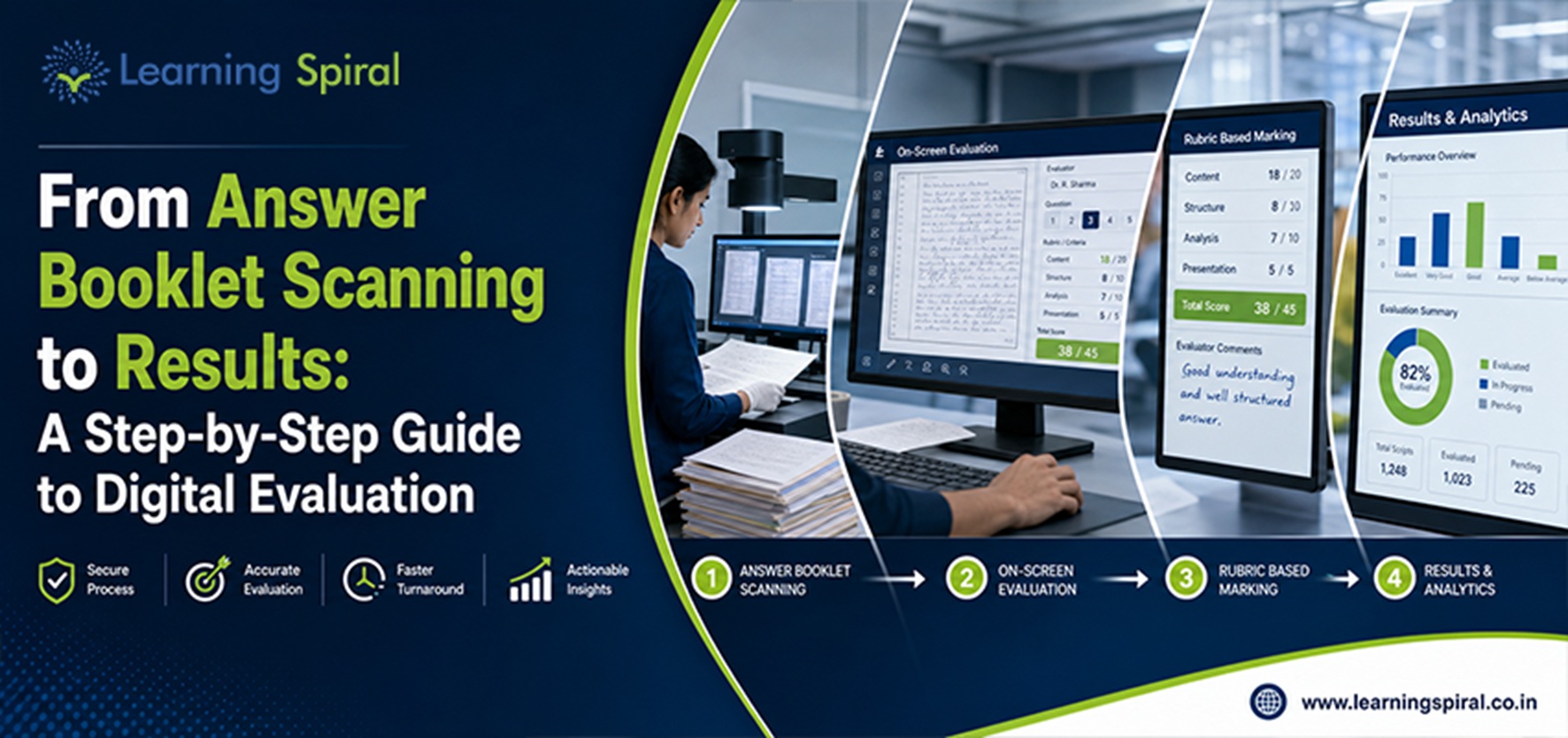
Digital evaluation — also called on-screen evaluation (OSE) — is the process of scanning physical answer booklets into digital images and enabling examiners to evaluate, award marks, and moderate answers entirely on-screen, replacing manual paper-based checking. It removes physical movement of scripts, adds audit trails, and significantly compresses the time between exam completion and result declaration.
Manual Evaluation vs On-Screen Evaluation: A Side-by-Side Comparison
| Parameter | Manual Evaluation | On-Screen Evaluation (Digital) |
|---|---|---|
| Script Movement | Physical transport between exam centers, evaluation centers, moderation desks | Zero physical movement after scanning; scripts accessed digitally |
| Anonymity of Candidate | Dependent on manual masking; risk of exposure | Auto-masked digitally; identity never visible to evaluator |
| Evaluation Turnaround | 20–35 days typical for large batches | Reduced by 40–50% in most large-scale deployments |
| Error/Inconsistency Rate | Higher — dependent on individual evaluator diligence, tally errors | Lower — system-enforced totaling, mandatory field checks |
| Moderation & Double Evaluation | Logistically difficult; requires re-dispatch of scripts | Instant reassignment to second/third evaluator |
| Audit Trail | Limited — paper-based records, hard to trace after the fact | Complete digital trail — every mark, timestamp, and evaluator action logged |
| Grievance Redressal | Manual re-checking, physical script retrieval | Instant retrieval, transparent digital audit for RTI/grievance response |
| Data Security | Vulnerable to physical loss, tampering, paper leaks | Encrypted storage, role-based access, data center security controls |
| Scalability (across campuses) | Requires proportional increase in physical infrastructure | Evaluators can work from any approved, secured location |
| Cost Over Time | Recurring logistics, printing, storage costs | Higher upfront setup, lower marginal cost per script at scale |
The Step-by-Step Digital Evaluation Process
Phase 1: Pre-Examination Processing
Before a single script is scanned, the foundation is laid during pre-examination processing:
- Question bank management — Digitized, tagged, and randomized question bank setup to prevent repetition and support multiple question set generation
- OMR/booklet design — Barcode or QR-coded answer booklets designed for accurate scanning and auto-identification
- Examiner empanelment — Digital onboarding of evaluators, moderators, and scrutinizers with role-based system access
- Center and seating logistics — Mapped digitally to reduce manual coordination errors
Phase 2: Answer Booklet Scanning
Once exams conclude, scripts move into the scanning pipeline:
- Booklets are received at designated scanning centers under chain-of-custody protocols
- High-speed scanners digitize each page, capturing barcodes for automatic candidate and subject identification
- Scanned images undergo quality checks — skew correction, missing page detection, resolution verification
- Digital images are uploaded to a secure evaluation server, with the physical booklets archived separately
Phase 3: On-Screen Marking
- Evaluators log into the on-screen marking system and are auto-assigned scripts (anonymized, no candidate identity visible)
- Marks are awarded question-wise, with the system enforcing maximum mark limits and mandatory field completion
- Co-scripts (multiple scripts per candidate) are pooled and totaled automatically, eliminating manual addition errors
- Scripts flagged for discrepancy (e.g., blank pages marked as attempted) are auto-routed for scrutiny
Phase 4: Moderation & Quality Control
- A statistically sampled percentage of scripts undergo second evaluation for consistency checks
- Head examiners review flagged discrepancies and moderate evaluator-level scoring patterns
- Scripts with wide score variance between first and second evaluation are routed to a third, senior evaluator
Phase 5: Post-Examination Processing & Result Declaration
- Tabulation is auto-generated from evaluated marks — no manual data entry, minimizing transcription errors
- Grace marks, moderation policies, and grading curves (as per university statutes) are applied systematically
- Results are validated against academic rules (attendance eligibility, backlog clearance, etc.) before publication
- Final results are pushed to the university management system and made available through the student portal, with digital marksheets and revaluation request options built in
Decision Framework: Is Your Institution Ready for Digital Evaluation?
| Readiness Factor | Low Readiness | Moderate Readiness | High Readiness |
|---|---|---|---|
| Annual script volume | Under 20,000 | 20,000 – 1,00,000 | 1,00,000+ |
| Current result timeline | Under 15 days (small scale) | 15–30 days | 30+ days with frequent delays |
| Grievance volume | Minimal | Moderate, seasonal spikes | High, recurring per cycle |
| IT infrastructure | Limited/none | Partial digitization | Existing digital exam processes |
| NEP 2020 / accreditation pressure | Low | Moderate | High (NAAC/NBA cycles approaching) |
| Recommended path | Pilot with 1–2 departments | Phased rollout across faculties | Full-scale institution-wide deployment |
Institutions working with an experienced examination technology partner typically see evaluation turnaround improve by 40–50%, without compromising accuracy — a difference that compounds across every subsequent exam cycle.
Common Pitfalls Universities Make During Digital Transition
| Pitfall | Why It Happens | How to Avoid It |
|---|---|---|
| Treating digitization as an IT project, not a process redesign | Departments digitize scanning but retain manual moderation workflows | Redesign the full evaluation SOP, not just the scanning step |
| Underestimating examiner training needs | Evaluators assume on-screen marking works like paper marking | Structured onboarding and simulation sessions before live evaluation |
| Ignoring network/infrastructure readiness at evaluation centers | Assuming existing IT setup can handle high-resolution image loads | Infrastructure audit before go-live; secured, bandwidth-tested centers |
| No pilot before full rollout | Pressure to digitize before the next exam cycle | Run a pilot on 1–2 low-risk programs first |
| Weak data security protocols | Treating digital scripts as inherently secure by default | Role-based access, encryption, and compliance with data protection norms |
| No grievance/revaluation workflow built into the digital system | Focus only on evaluation speed, not downstream processes | Design revaluation and RTI response workflows into the same platform |
NEP 2020 and Regulatory Alignment
The National Education Policy 2020 places strong emphasis on outcome-based, transparent, and technology-enabled assessment systems as part of broader higher education reform. Institutions moving toward digital evaluation are also better positioned for UGC and accreditation-related documentation requirements, since digital systems generate audit-ready records by default rather than requiring retrospective compilation.
Digital evaluation is not just a technology upgrade — it’s the difference between a fair result and a delayed, disputed one.
Learning Spiral Ltd. has worked alongside Universities, Higher Education Institutes, School Boards, and Examination/Recruitment Boards for over 25 years, supporting 100+ institutions in building examination systems that hold up to this scrutiny — from question bank management through to final result declaration.
Frequently Asked Questions
1. Is on-screen evaluation legally valid for university exams in India? Yes. On-screen evaluation is widely adopted by state and central universities and is recognized as compliant, provided the institution’s examination statutes are amended to formally permit digital evaluation and the system maintains a verifiable audit trail.
2. How long does digital evaluation take for 1 lakh answer scripts? With adequate evaluator allocation and infrastructure, digital evaluation of 1 lakh scripts typically takes significantly less time than manual evaluation of the same volume — institutions commonly report 40–50% faster turnaround compared to their previous manual process.
3. What happens if a script is scanned incorrectly or a page is missing? Digital evaluation systems flag scanning discrepancies (missing pages, poor image quality, blank sheets) automatically during the quality-check stage, before scripts are released for evaluation, allowing correction without delaying the entire batch.
4. Does digital evaluation reduce revaluation and grievance disputes? Yes. Because every mark is logged with a digital audit trail, institutions can respond to revaluation requests and RTI queries faster and with greater transparency, which typically reduces disputed outcomes compared to manual, paper-based records.
5. What is the difference between on-screen marking and on-screen evaluation? On-screen marking refers specifically to the act of an examiner awarding marks digitally, while on-screen evaluation is the broader end-to-end process — including scanning, marking, moderation, and tabulation — that on-screen marking is a part of.
Where This Leaves Your Institution
Digital evaluation isn’t a single tool — it’s a redesigned process spanning question bank management, scanning, on-screen marking, moderation, and post-examination processing. Institutions that treat it as such see the compounding benefits: faster results, fewer disputed outcomes, and audit-ready records for every exam cycle.
If your institution is evaluating this shift, it helps to talk to a partner who has run this process at scale, across formats and academic calendars, for over two decades.