
What This Article Covers
- What On-Screen Marking means for universities and examination boards
- How traditional and digital grading workflows differ
- Major advantages of a paperless evaluation workflow
- The complete On-Screen Evaluation process
- Manual grading vs On-Screen Evaluation comparison
- Operational and financial ROI considerations
- A readiness framework for institutional decision-makers
- Common mistakes during implementation
- A phased migration roadmap
- Frequently asked questions from examination administrators
What Is On-Screen Marking?
On-Screen Marking is a Digital Evaluation process in which physical answer booklets are scanned, converted into secure digital images, and allocated electronically to authorised evaluators. Examiners review answers, annotate scripts, award marks, and submit completed evaluations through an On-Screen Marking System rather than handling original paper answer books.
The examination itself may still be conducted using physical answer booklets. Only the evaluation, monitoring, moderation, and marks-processing workflow becomes digital.
This distinction is important. An institution does not need to conduct an Online Examination System to adopt On-Screen Evaluation.
Why Traditional Grading Becomes Difficult at Institutional Scale
Traditional grading can work adequately when an institution has:
- A limited number of students
- A small and centrally located evaluator pool
- Few programmes or subjects
- A long result-processing window
- Minimal moderation requirements
- Low revaluation or RTI volume
The same model becomes increasingly difficult when a university or board processes lakhs of answer scripts across affiliated colleges, districts, subjects, and evaluation centres.
A Typical Traditional Evaluation Workflow
- Answer booklets are collected from examination centres.
- Scripts are counted, bundled, sealed, and transported.
- Bundles are sent to centralised or regional evaluation centres.
- Evaluators receive physical script packets.
- Marks are written on individual answer booklets.
- Totals are manually calculated.
- Marks are entered into award sheets.
- Award sheets are returned to the examination department.
- Marks are manually entered or uploaded into the result system.
- Discrepancies are checked and corrected.
- Moderation and revaluation are conducted through another physical workflow.
- Final results are compiled and published.
Each handoff introduces another opportunity for delay, incorrect allocation, missing records, transcription errors, or weak accountability.
Traditional evaluation therefore creates two separate risks:
- Academic risk: inconsistent marking, missed answers, incorrect totals, or rubric deviation
- Operational risk: delayed movement, incomplete bundles, manual entry errors, and limited visibility
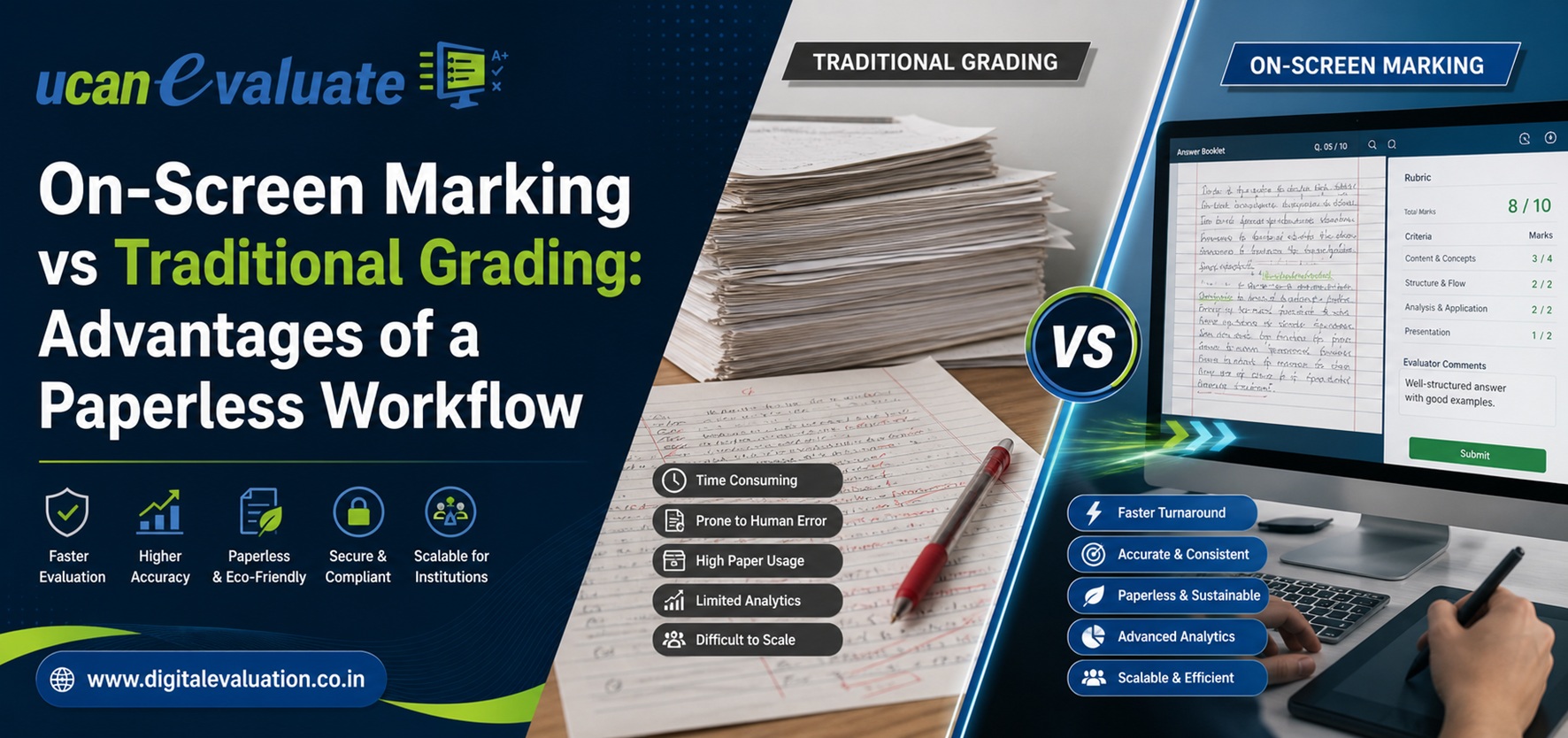
On-Screen Marking vs Traditional Grading: Comparison Table
| Evaluation Area | Traditional Grading | On-Screen Marking |
|---|---|---|
| Answer-script handling | Physical bundles are transported and stored | Scanned scripts are securely accessed digitally |
| Evaluator allocation | Manual bundle allocation | Rule-based, random, subject-wise, or customised allocation |
| Candidate anonymity | Depends on physical coding and handling | Candidate identity can be digitally masked |
| Progress monitoring | Periodic manual reporting | Real-time evaluator and subject-level dashboards |
| Marks calculation | Manual addition and checking | Automated totaling and validation rules |
| Missed answers | Detected manually, if at all | System can flag unmarked questions or pages |
| Moderation | Physical transfer to moderators | Digital reassignment with complete marking history |
| Double evaluation | Operationally complex | Parallel or sequential double valuation can be configured |
| Marks entry | Often requires separate data entry | Marks can flow directly into result processing |
| Revaluation | Requires physical retrieval | Scripts can be securely reassigned digitally |
| Audit trail | Fragmented or paper-based | User, time, action, and marks history can be logged |
| Storage | Requires physical record rooms | Controlled digital storage with backup policies |
| Disaster recovery | Limited for original paper scripts | Backup and recovery controls can be configured |
| Examiner location | Restricted to designated centres | Centralised, distributed, or hybrid models are possible |
| Result turnaround | Dependent on physical movement | Parallel evaluation reduces avoidable waiting time |
| Institutional oversight | Reactive | Real-time and exception-based |
The Seven Major Advantages of a Paperless Workflow
1. Faster Evaluation and Result Processing
In a traditional workflow, an answer script spends considerable time waiting:
- Waiting to be counted
- Waiting to be transported
- Waiting to be allocated
- Waiting for an evaluator
- Waiting to be returned
- Waiting for marks entry
- Waiting for discrepancy correction
An On-Screen Evaluation System removes several of these queues.
Once Answer booklet scanning and quality checks are complete, scripts can be distributed electronically. Evaluators can begin marking without waiting for physical bundles to arrive.
This also allows parallelisation. Instead of routing all scripts through a small number of physical centres, institutions can allocate work across a larger authorised examiner pool.
The real benefit is not simply faster marking. It is the compression of the complete Post Examination Processing cycle—from answer-script collection to result declaration.
Where Time Is Usually Saved
- Physical transportation and bundle movement
- Manual evaluator allocation
- Award-sheet preparation
- Marks totaling
- Marks transcription
- Script retrieval for moderation
- Revaluation script movement
- Status-report preparation
- Consolidation of subject-wise marks
A well-designed workflow can also identify bottlenecks before they delay the complete result.
2. Greater Consistency in Subjective Evaluation
Subjective answer evaluation will always require academic judgement. Technology should not replace that judgement.
However, it can create stronger controls around it.
An On-Screen Marking System can present:
- Approved marking schemes
- Question-wise maximum marks
- Rubrics and model answers
- Standard annotations
- Subject-specific instructions
- Tolerance or deviation alerts
- Mandatory remarks for exceptional marks
- Moderation rules
- Sample scripts for standardisation
These controls help evaluators apply institutional marking policies more consistently.
How Digital Evaluation Supports Quality Control
Administrators can monitor:
- Average marks awarded by each evaluator
- Unusually high or low marking patterns
- Average time spent per answer script
- Marks distribution by question
- Repeated use of maximum or minimum marks
- Scripts completed unusually quickly
- Difference between first and second evaluation
- Moderation adjustments
- Evaluator rejection or rework rates
These indicators do not automatically prove poor evaluation. They help the Controller of Examinations identify where academic review may be necessary.
Digital evaluation is therefore not about automating academic judgement. It is about making the application of that judgement more visible and reviewable.
3. Better Answer-Script Security and Chain of Custody
Physical answer booklets must pass through several hands before evaluation is complete.
Depending on the examination structure, scripts may move through:
- Examination centres
- Collection hubs
- University strong rooms
- Coding teams
- Evaluation centres
- Chief examiners
- Moderators
- Marks-entry teams
- Revaluation sections
- Record rooms
Every physical transfer requires documentation, supervision, secure storage, and reconciliation.
In a digital workflow, the original answer booklets can be secured after scanning while authorised users work on controlled digital copies.
Important security controls may include:
- Role-based access
- Candidate identity masking
- Two-factor authentication
- Encrypted data transmission
- Secure storage
- Session restrictions
- Device or IP controls
- Watermarked script views
- Automatic logout
- User activity logs
- Restricted downloading and printing
- Backup and disaster recovery
- Separation of evaluator and administrative roles
The objective is not to assume that digital automatically means secure. The objective is to create a traceable chain of custody in which access is restricted, logged, and reviewable.
4. Real-Time Visibility for Examination Administrators
Traditional evaluation often forces the examination department to manage by telephone calls, spreadsheets, or daily reports from evaluation centres.
Administrators may know how many bundles were issued, but not:
- How many scripts have actually been opened
- How many have been partially evaluated
- Which subject is falling behind
- Which evaluator has stopped working
- Whether any answer remains unmarked
- How many scripts require moderation
- Whether marks are being submitted unusually quickly
- Which centre is facing a technical or staffing issue
A Digital Evaluation System replaces delayed reporting with live operational visibility.
Useful Administrative Dashboards
A well-designed dashboard should show:
- Total scripts received
- Scripts scanned
- Scripts cleared after quality checks
- Scripts allocated
- Scripts under evaluation
- Scripts completed
- Scripts pending
- Scripts returned for correction
- Moderation status
- Evaluator productivity
- Subject-wise completion
- College-wise completion
- Daily evaluation rate
- Estimated completion trajectory
- Exceptions requiring administrative action
The Controller of Examinations can therefore manage the process through exceptions rather than repeatedly requesting routine updates.
5. Fewer Totalling and Transcription Errors
Manual evaluation frequently separates academic marking from marks processing.
An evaluator may write marks on a script, copy them to an award sheet, total the marks, and send the award sheet for separate data entry. Each repetition creates another chance for error.
An On-Screen Evaluation System can capture marks directly against each question and calculate the final total automatically.
Validation rules can prevent:
- Marks above the permitted maximum
- Negative marks where they are not allowed
- Submission with unanswered evaluation fields
- Incorrect totaling
- Missing page evaluation
- Duplicate script allocation
- Incomplete moderation
- Unauthorised marks changes
Once approved, final marks can flow into the University Examination System or result-processing platform without being entered again manually.
Removing duplicate data entry is one of the most practical ways to reduce avoidable student grievances.
6. Faster Revaluation, Grievance, and RTI Handling
The real test of an examination process begins when a result is questioned.
In a paper-based system, responding to a grievance may require:
- Locating the physical answer booklet.
- Verifying the correct candidate and subject.
- Retrieving the marks sheet.
- Checking question-wise marks.
- Sending the script for revaluation.
- Comparing the original and revised marks.
- Updating the result.
- Refiling the physical booklet.
This can take days or weeks when records are distributed across evaluation centres and storage facilities.
With On-Screen Evaluation, the institution can retrieve the relevant script, marking history, evaluator actions, annotations, moderation record, and marks changes through one controlled workflow.
This improves:
- Revaluation turnaround
- Student grievance resolution
- Court-case documentation
- RTI response preparation
- Internal audit
- Academic review
- Accreditation documentation
A defensible result is not only one that is correct. It is one for which the institution can clearly demonstrate how the marks were awarded, reviewed, and approved.
7. Better Integration Across the Examination Lifecycle
On-Screen Marking delivers the greatest value when it is connected to the broader examination ecosystem.
A complete digital workflow may link:
- Question Bank Management
- Question-paper creation
- Pre Examination Processing
- Student registration
- Course and subject mapping
- Admit-card generation
- Examination-centre management
- Online Assessment
- Physical examination processing
- Scanning of Answer Sheets
- On-Screen Marking
- Moderation
- Marks compilation
- Post Examination Processing
- Result publication
- Revaluation
- Mark-sheet generation
- Degree and certificate processing
- University Management System
Without integration, institutions may complete the evaluation digitally but still manually transfer marks into another system.
That leaves one of the most error-prone stages untouched.
The goal should therefore be an integrated Examination Processing workflow—not an isolated scanning application.
How Does the On-Screen Evaluation Process Work?
Step 1: Answer-Booklet Collection and Reconciliation
Physical answer booklets are collected from examination centres and reconciled against attendance, subject, paper code, and centre-level records.
Missing or excess scripts should be resolved before scanning begins.
Step 2: Coding and Identity Protection
Each booklet is associated with a unique barcode, QR code, or digital identifier.
Candidate details can be masked so that the examiner evaluates the answer rather than the identity of the student, college, centre, or region.
Step 3: Answer Booklet Scanning
Scripts are scanned through destructive or non-destructive methods based on institutional policy.
Quality checks should confirm:
- Every page has been scanned
- Pages are in the correct sequence
- Images are readable
- No page is duplicated
- No page is missing
- Barcode mapping is correct
- Blank pages are correctly recognised
- Supplementary sheets are attached to the right script
Scanning quality is foundational. A poorly scanned answer booklet cannot be evaluated reliably, regardless of how advanced the marking software may be.
Step 4: Script Validation
Quality-control teams review image clarity, page order, script completeness, and candidate mapping.
Only validated scripts should enter the evaluator allocation pool.
Step 5: Digital Evaluator Allocation
Scripts are assigned according to institutional rules, such as:
- Subject expertise
- Examiner eligibility
- College restrictions
- Geographic restrictions
- Random allocation
- Daily workload limits
- First and second valuation
- Chief-examiner hierarchy
- Conflict-of-interest rules
Step 6: On-Screen Marking
Evaluators securely log in and review assigned scripts.
Typical tools include:
- Zoom and navigation
- Question-wise marks entry
- Digital annotations
- Comments
- Marking-scheme access
- Model-answer reference
- Page flags
- Review markers
- Automatic totaling
- Submission validation
Step 7: Quality Control and Moderation
Scripts may be selected for review based on:
- Random sampling
- High or low scores
- Unusual evaluator behaviour
- First-versus-second evaluation variance
- Subject-specific moderation rules
- Student grievance
- Chief examiner instructions
Step 8: Marks Approval and Result Processing
Approved marks are consolidated and transferred into the result-processing workflow.
The system should maintain a complete history of:
- Original marks
- Revised marks
- Moderator actions
- Approval status
- User identity
- Date and time
- Reason for change
Institutional Readiness Framework
| Readiness Area | Red: Not Ready | Amber: Partially Ready | Green: Ready |
| Examination data | Student and subject data are inconsistent | Data exists but needs cleansing | Standardised and validated master data |
| Answer-booklet design | No standard format or coding | Some standardisation exists | Barcode/QR-ready booklet structure |
| Infrastructure | Unreliable scanning and network setup | Infrastructure available at limited centres | Tested scanning, bandwidth, backup, and support |
| Examination SOPs | Processes vary by department | Some documented workflows | Institution-wide approved SOPs |
| Examiner readiness | No digital exposure | Limited training available | Training, simulation, and certification planned |
| Marking schemes | Informal or evaluator-dependent | Available for selected papers | Standardised rubrics and schemes |
| Integration | Marks entered manually into multiple systems | Partial import/export available | Secure API or controlled system integration |
| Security | Shared credentials and broad access | Basic access controls | Role-based access, encryption, logs, and recovery |
| Governance | Treated only as an IT project | Examination department involved | Academic, examination, IT, legal, and finance ownership |
| Change management | Full rollout without pilot | Limited test planned | Controlled pilot with measurable acceptance criteria |
How to Interpret the Framework
- Mostly red: Begin with process documentation and data preparation.
- Mostly amber: Conduct a limited pilot before the next high-stakes cycle.
- Mostly green: Proceed with phased institutional implementation.
- Mixed status: Prioritise security, scanning quality, data readiness, and examiner training before expanding volume.
What Is the ROI of an On-Screen Marking System?
The return on investment should not be measured only through software cost.
Universities should compare the complete cost of the existing process against the complete cost of the digital process.
Traditional Grading Cost Areas
- Transportation of answer booklets
- Packing and sealing material
- Physical evaluation-centre setup
- Storage and security
- Manual bundle allocation
- Marks-entry manpower
- Travel and accommodation
- Printing of award sheets
- Reconciliation teams
- Revaluation retrieval
- Overtime during result processing
- Cost of delayed academic schedules
- Grievance-handling manpower
- Repeated result corrections
Digital Evaluation Cost Areas
- Scanning infrastructure or managed scanning
- Evaluation platform
- Secure hosting and storage
- Network and device readiness
- Examiner training
- Technical support
- Integration
- Security monitoring
- Backup and disaster recovery
- Change-management activities
ROI Comparison Framework
| ROI Dimension | Traditional Workflow Impact | Digital Workflow Opportunity |
| Result turnaround | Delays can compress the next academic cycle | Parallel evaluation can shorten avoidable waiting time |
| Manpower | Repeated data entry and reconciliation | Automated totaling and data transfer |
| Logistics | Recurring transportation and centre costs | Reduced physical movement after scanning |
| Quality | Errors detected late | Validation occurs during marking |
| Grievances | Time-consuming retrieval and investigation | Faster script and audit-record access |
| Oversight | Manual progress reporting | Real-time monitoring |
| Scalability | More volume requires more physical coordination | Work can be distributed electronically |
| Record retention | Physical storage expansion | Policy-based digital retention |
| Business continuity | Local disruption can halt work | Distributed operations and recovery planning |
| Academic calendar | Result delays affect subsequent activities | Predictable processing supports calendar discipline |
ROI Metrics Institutions Should Track
Before implementation, establish baseline values for:
- Days between final examination and result declaration
- Cost per evaluated script
- Scripts evaluated per examiner per day
- Number of marks-entry operators
- Percentage of results requiring correction
- Number of grievances per 10,000 students
- Average revaluation turnaround time
- Percentage of scripts completed within schedule
- Evaluator-level variance
- Number of missing or untraceable scripts
- Cost of operating evaluation centres
After implementation, compare the same indicators over at least two complete examination cycles.
Common Mistakes Universities Make During the Transition
| Common Mistake | Why It Creates Problems | Better Approach |
| Treating digitisation as only an IT purchase | Academic and operational workflows remain unchanged | Create joint ownership across examinations, academics, IT, and administration |
| Starting with the largest examination cycle | Early issues affect high-stakes results | Pilot with selected programmes or subjects |
| Ignoring scanning quality | Missing or unclear pages reach evaluators | Define image-quality checks and rejection workflows |
| Replicating every manual step digitally | Existing inefficiencies are preserved | Redesign the workflow before configuring the system |
| Using shared evaluator logins | Accountability and security are weakened | Provide individual, role-based access |
| Insufficient examiner training | Faculty struggle with navigation and submission rules | Conduct simulations using sample scripts |
| No backup connectivity | Evaluation centres stop during outages | Plan secondary links, offline contingencies, and support escalation |
| Weak marking schemes | Technology cannot correct unclear academic criteria | Standardise rubrics and question-wise marking instructions |
| No integration with result processing | Marks still require manual re-entry | Plan secure data exchange from the beginning |
| Measuring only evaluation speed | Quality and grievances may be ignored | Track speed, accuracy, variance, security, and satisfaction |
| No revaluation workflow | Digital benefits end after result publication | Configure revaluation, moderation, and RTI processes |
| Selecting only on lowest price | Support, scalability, and security may be compromised | Evaluate total cost, implementation capability, and examination experience |
A Six-Phase Implementation Roadmap
Phase 1: Process Discovery
Document the current examination workflow from answer-booklet receipt to result publication.
Identify:
- Stakeholders
- Approval points
- Data sources
- Existing bottlenecks
- Manual handoffs
- Regulatory requirements
- Evaluation rules
- Result-processing dependencies
Phase 2: Readiness Assessment
Evaluate:
- Student and subject data
- Booklet design
- Scanning capacity
- Network availability
- Device availability
- Examiner locations
- Security requirements
- Existing software integrations
- Helpdesk capacity
Phase 3: Controlled Pilot
Select a manageable pilot involving:
- One or two programmes
- A limited number of subjects
- Representative question formats
- Experienced evaluators
- Clear success criteria
- Parallel verification
Pilot success should be measured against accuracy and process control—not merely whether the software functioned.
Phase 4: Examiner Training and Standardisation
Training should cover:
- Secure login
- Script navigation
- Annotation tools
- Marks entry
- Marking schemes
- Script submission
- Error handling
- Escalation
- Moderation
- Data confidentiality
Evaluators should complete a simulation before receiving live scripts.
Phase 5: Phased Rollout
Expand by:
- Department
- Semester
- Programme
- Evaluation centre
- Region
- Script volume
Maintain a command centre during the active cycle to monitor scanning, allocation, evaluation, moderation, technical support, and result integration.
Phase 6: Post-Cycle Review
After result publication, compare outcomes with the previous manual cycle.
Review:
- Turnaround time
- Script throughput
- Evaluator feedback
- Student grievances
- Marks corrections
- Technical incidents
- Moderation patterns
- Helpdesk tickets
- Infrastructure performance
- Cost per script
Use these findings to revise the SOP before the next cycle.
What Scale Looks Like in Practice
Publicly available institutional certifications on Learning Spiral Ltd.’s official website describe projects involving:
- On-screen evaluation of 5 lakh answer scripts for approximately 1.40 lakh students
- Scanning and digital evaluation of more than 5.50 lakh answer booklets, representing approximately 1.4 crore pages
- Digital evaluation of more than 30,000 answer books
- Digital evaluation and On-Screen Marking for approximately 1.50 lakh answer scripts
These examples demonstrate why scanning controls, evaluator allocation, secure hosting, monitoring, and post-examination integration must be planned as one operational system rather than separate software activities.
How On-Screen Marking Supports Evaluation Reform
The UGC’s evaluation reform framework emphasises:
- Linking evaluation to learning outcomes
- Increasing objectivity
- Strengthening assessment rubrics
- Improving moderation
- Using question banks
- Applying technology to examination administration
- Improving result declaration
- Introducing automation across pre-, on-, and post-examination processes
An On-Screen Evaluation System does not automatically achieve these reforms.
It provides the infrastructure through which an institution can implement them more consistently.
For example:
- Rubrics can be displayed during evaluation.
- Question-wise data can support outcome analysis.
- Moderation decisions can be documented.
- Evaluator variance can be studied.
- Marks can be processed without repeated transcription.
- Results can be supported by an audit trail.
- Revaluation can become faster and more structured.
Technology creates visibility. Academic governance determines how effectively that visibility is used.
When Might Traditional Grading Still Be Appropriate?
On-Screen Marking is not automatically the right choice for every assessment.
Traditional evaluation may remain practical when:
- Script volumes are very small
- Examiners are available at one location
- Results are not time-sensitive
- Answers depend heavily on physical artefacts
- Scanning would remove important visual or material characteristics
- Infrastructure constraints cannot yet be resolved
- The institution lacks approved digital-evaluation procedures
- A temporary or highly specialised assessment is being conducted
The decision should be based on examination risk, volume, complexity, and governance—not on the assumption that every process must become digital immediately.
A hybrid model may also be suitable. High-volume semester examinations can move to On-Screen Marking while selected practical, studio, laboratory, or portfolio assessments continue through specialised physical evaluation.
Questions to Ask Before Selecting an On-Screen Marking System
Workflow and Scale
- How many answer booklets can be scanned and processed daily?
- Can the system support peak examination volume?
- Does it support destructive and non-destructive scanning?
- Can supplementary sheets be mapped correctly?
- Can evaluation continue across multiple centres?
Academic Controls
- Does it support question-wise marking?
- Can marking schemes and rubrics be displayed?
- Can double valuation be configured?
- Can chief examiners moderate selected scripts?
- Can unmarked questions be detected?
Security
- Is candidate identity masked?
- Are individual evaluator credentials mandatory?
- Is two-factor authentication available?
- Is every marks change logged?
- Can downloading, screenshots, or printing be controlled?
- What backup and disaster-recovery arrangements exist?
Administration
- Can progress be monitored in real time?
- Can workload be reassigned?
- Can administrators set daily limits?
- Are subject-wise and evaluator-wise reports available?
- Can delayed evaluators be identified automatically?
Integration
- Can the system exchange data with the University Examination System?
- Can approved marks flow into result processing?
- Does it support the institution’s student, course, and subject structure?
- Can revaluation and moderation data be exported?
- Are APIs or controlled import/export mechanisms available?
Support
- Is implementation support included?
- Who manages scanning-centre operations?
- Is helpdesk support available during evaluation?
- How are critical incidents escalated?
- Does the partner understand academic examination processes, or only software deployment?
Frequently Asked Questions
1. Is On-Screen Evaluation legally valid for university examinations?
The acceptability of On-Screen Evaluation depends on the university’s statutes, ordinances, examination regulations, academic approvals, and prescribed procedures. Institutions should formally approve the digital workflow and ensure that it preserves confidentiality, evaluator eligibility, moderation, audit, revaluation, and result-approval requirements.
UGC evaluation reform guidance encourages higher education institutions to use available technology and automation across pre-, on-, and post-examination stages.
2. How long does digital evaluation take for 1 lakh answer scripts?
There is no universal duration because completion depends on:
- Number of evaluators
- Scripts evaluated per person per day
- Subject complexity
- Number of pages
- Double-valuation requirements
- Moderation percentage
- Scanning capacity
- Working hours
- Infrastructure availability
For illustration, if 500 evaluators complete an average of 20 scripts per day, the institution can process approximately 10,000 scripts per evaluation day. One lakh scripts would therefore require roughly 10 evaluation days before final moderation and result-processing activities.
This is an operational planning example, not a guaranteed timeline.
3. Does On-Screen Marking require students to take exams online?
No. Students can continue writing examinations using physical answer booklets.
After the examination, the booklets are scanned and evaluated digitally. This allows universities to retain familiar pen-and-paper examinations while digitising the evaluation and Post Examination Processing stages.
4. Can an On-Screen Evaluation System support double valuation?
Yes, provided the system is configured for it.
A script can be allocated independently to two evaluators, after which the system can:
- Compare the marks
- Calculate the difference
- Apply a permitted variance
- Send exceptional cases to a third evaluator
- Route the script to a chief examiner
- Preserve all valuations in the audit trail
The exact workflow should follow the institution’s examination regulations.
5. How secure is On-Screen Marking?
Security depends on implementation, architecture, operating procedures, and user discipline.
A secure system should include:
- Identity masking
- Role-based access
- Individual evaluator accounts
- Two-factor authentication
- Encryption
- Audit trails
- Restricted downloads
- Secure hosting
- Data backups
- Disaster recovery
- Session monitoring
- Controlled marks revision
- Incident-response procedures
Institutions should request a documented security architecture and conduct an infrastructure and access-control review before the live examination cycle.
Paperless Evaluation Is a Process Transformation
The difference between traditional grading and On-Screen Marking is not simply where the examiner reads the answer.
It is the difference between a fragmented process and a connected one.
Traditional grading relies heavily on physical movement, repeated data entry, delayed reporting, and manual reconciliation. On-Screen Marking creates opportunities for parallel evaluation, automatic validation, real-time monitoring, structured moderation, faster revaluation, and direct integration with result processing.
However, the technology alone is not enough.
Successful implementation requires:
- Clean examination data
- Reliable Answer booklet scanning
- Approved academic rules
- Strong security
- Examiner training
- A controlled pilot
- Real-time operational support
- Integration with the University Examination System
- Post-cycle performance measurement
Learning Spiral Ltd. has spent more than 25 years working with Universities, Higher Education Institutions, School Boards, and Examination and Recruitment Boards. Its examination technology experience spans more than 100 institutions and publicly documented projects involving lakhs of answer scripts and students.
Institutions considering this transition can begin by mapping the present workflow, calculating the true cost of manual evaluation, and identifying one controlled examination cycle suitable for a pilot.